Origami Crane Tattoo Stencil
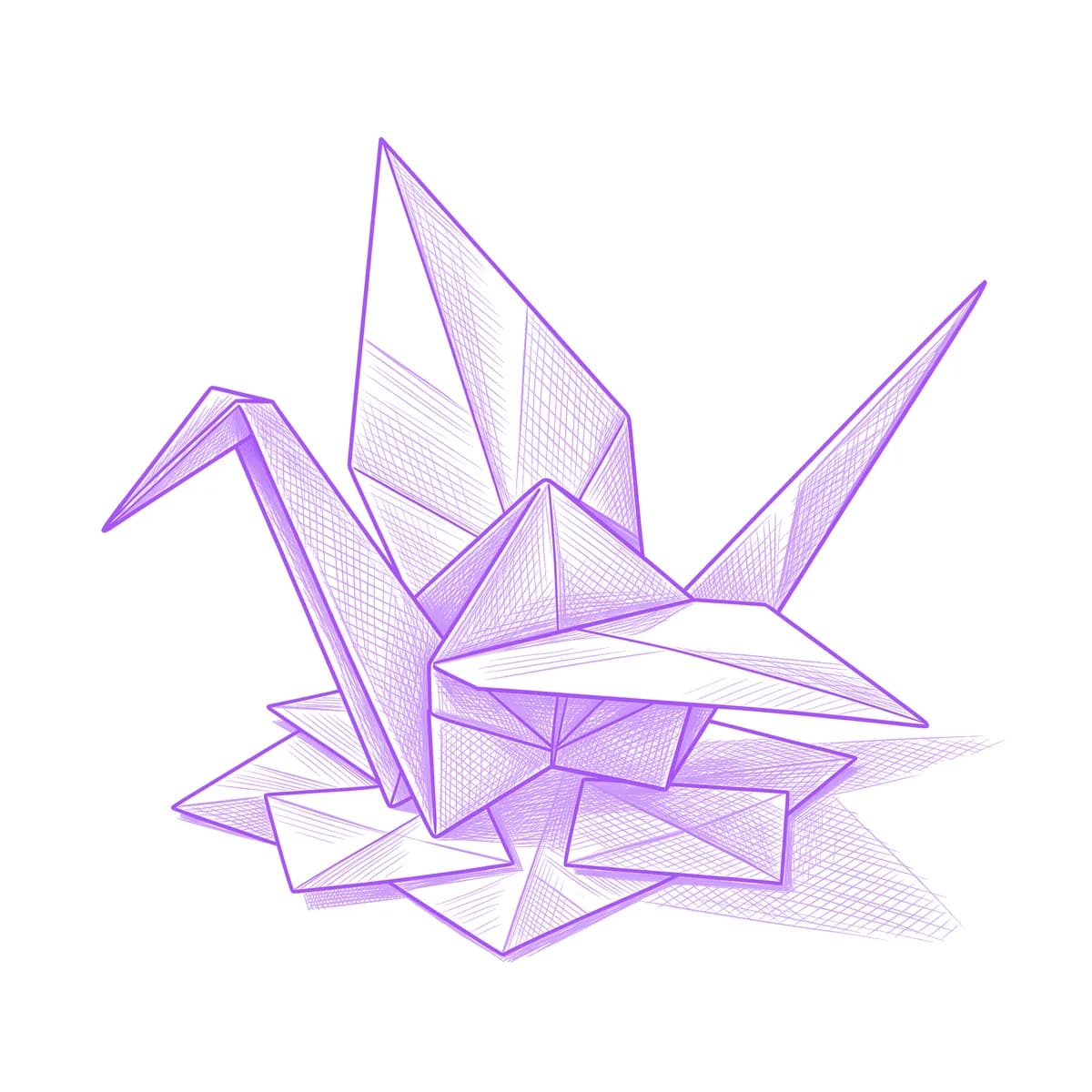
The origami crane carries the thousand-crane promise — healing, hope, a wish folded into paper. Its stencil is an exercise in flatness: every facet is a plane, every crease a dead-straight valley or mountain fold, and the moment a line bows the object stops being paper. Stencil AI keeps each crease geometrically straight and shades the facets as flat planes rather than rounded surfaces.

Why Origami Crane works as a realism tattoo
- The crane is built entirely from triangles — a faceted geometry that shades like a cut gem, each plane a single clean tone.
- Its pointed head, swept wings and long tail make an angular silhouette that reads as both bird and sculpture at once.
- Paper-white facets against crease shadows produce high contrast from almost no ink — one of the most economical designs per square centimeter.
How to make a origami crane tattoo stencil
Upload your reference
Choose a realism style
Export & transfer
Placement & sizing
An origami crane sits beautifully on the inner wrist, behind the shoulder or the side of the ankle, and a mid-flight angle suits the collarbone line.
Tips for the best result
- Choose a reference with the wings raised in the classic finished-fold pose — a flattened or half-folded crane loses the iconic silhouette.
- Light the reference from one side so adjacent facets take clearly different tones; even lighting collapses the folds into a flat white bird.
- Outline captures the pure fold diagram look; Standard adds the soft plane-by-plane shading that makes the paper feel dimensional.
Frequently asked questions
What is the best style for an origami crane tattoo stencil?
Outline for the clean fold-diagram aesthetic that suits minimal placements. Standard shades each facet as a flat plane for a more sculptural paper look.
Where should an origami crane tattoo be placed?
The inner wrist and behind the shoulder are favorites — the crane's compact triangular form stays crisp small, and the pointed wings follow bone lines nicely.
Made with the photo-to-stencil tool — turn any photo into a clean, tattoo-ready stencil in seconds.
Make your stencil now
Upload a reference and get a clean, tattoo-ready stencil in seconds.
Try Stencil AITrusted by 5,000+ tattoo artists · ★ 4.7 on the App Store