Gorilla Tattoo Stencil
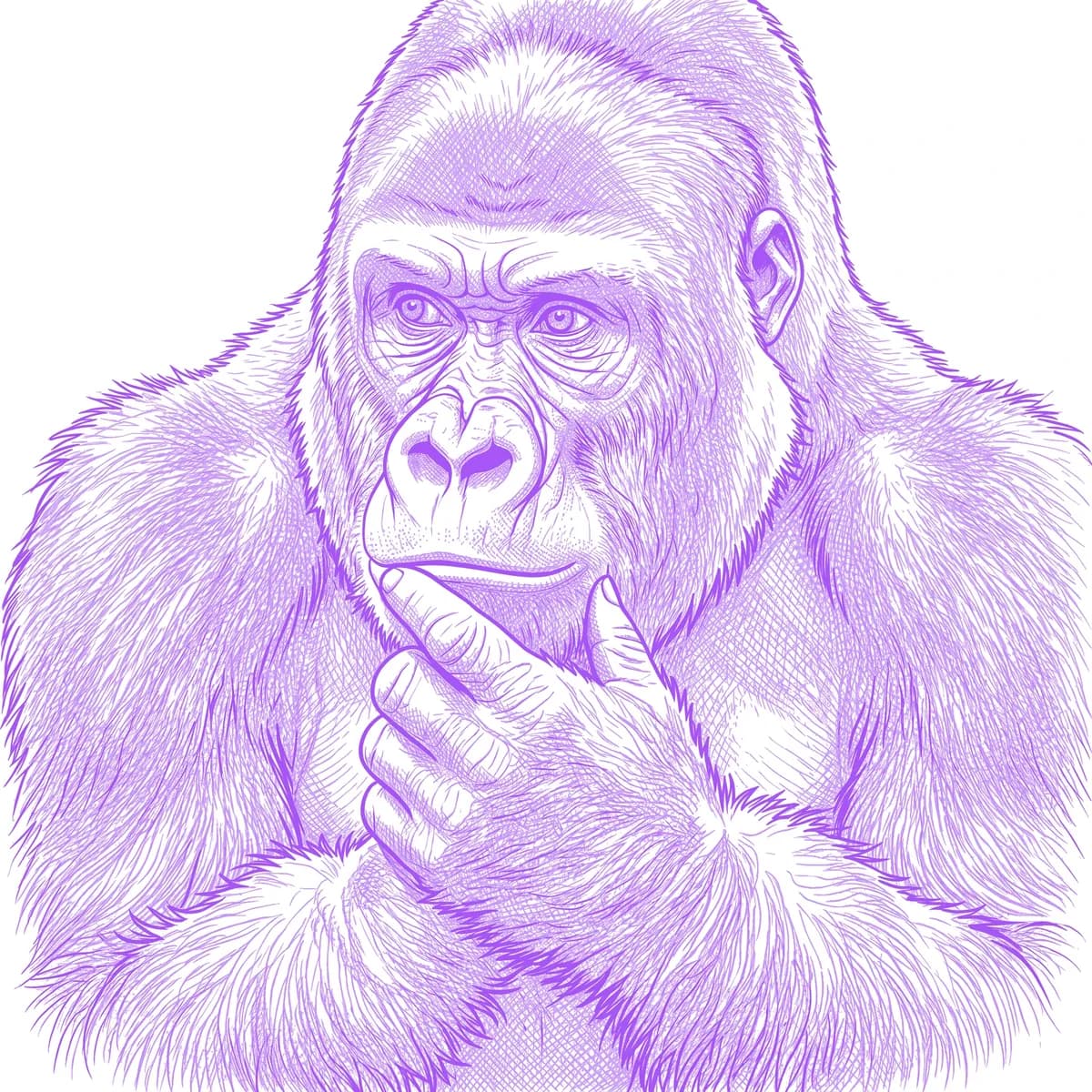
A gorilla is a study in contrast: a broad, hairless face of creased leathery skin set against a body of dense black fur. The face is where the realism lives — the heavy brow ridge, the flat wide nostrils, and the deep, human-like eyes. Stencil AI keeps that wrinkled skin detail and the brooding gaze sharp while letting the surrounding coat read as thick, directional fur rather than a flat black void.

Why Gorilla works as a realism tattoo
- The bare facial skin gives Standard smooth tonal grading for the brow, muzzle and creases, producing a strikingly lifelike face.
- The deep, contemplative eyes under the heavy brow form a powerful focal point that carries real emotion at tattoo scale.
- The dense body fur gives Hatching long directional strands, so the dark coat keeps texture instead of becoming a solid block.
- The wide flat nose and pronounced brow ridge are bold, recognizable shapes that hold up even in a simple Outline.
How to make a gorilla tattoo stencil
Upload your reference
Choose a realism style
Export & transfer
Placement & sizing
A gorilla portrait suits a broad muscle group — the chest, the shoulder, or the outer thigh where the heavy face and shoulders have room to sit.
Tips for the best result
- Pick a reference with directional light so the facial creases and brow ridge show shadow; flat light loses the leathery skin detail.
- Use Standard for the lifelike face and Hatching for the surrounding coat; choose Outline for a bolder, more graphic gorilla.
- Avoid references where the black fur is pure shadow — choose one with visible strand direction so the coat keeps its texture.
Frequently asked questions
What is the best style for a gorilla tattoo stencil?
Standard captures the leathery facial skin and deep eyes, while Hatching textures the dense coat. Outline suits a bolder, simpler gorilla.
How do I stop the dark fur from becoming a solid black mass?
Choose a reference where the coat shows highlights and strand direction — the stencil then renders the fur as textured layers rather than one flat block.
Made with the photo-to-stencil tool — turn any photo into a clean, tattoo-ready stencil in seconds.
Make your stencil now
Upload a reference and get a clean, tattoo-ready stencil in seconds.
Try Stencil AI