Death Moth Tattoo Stencil
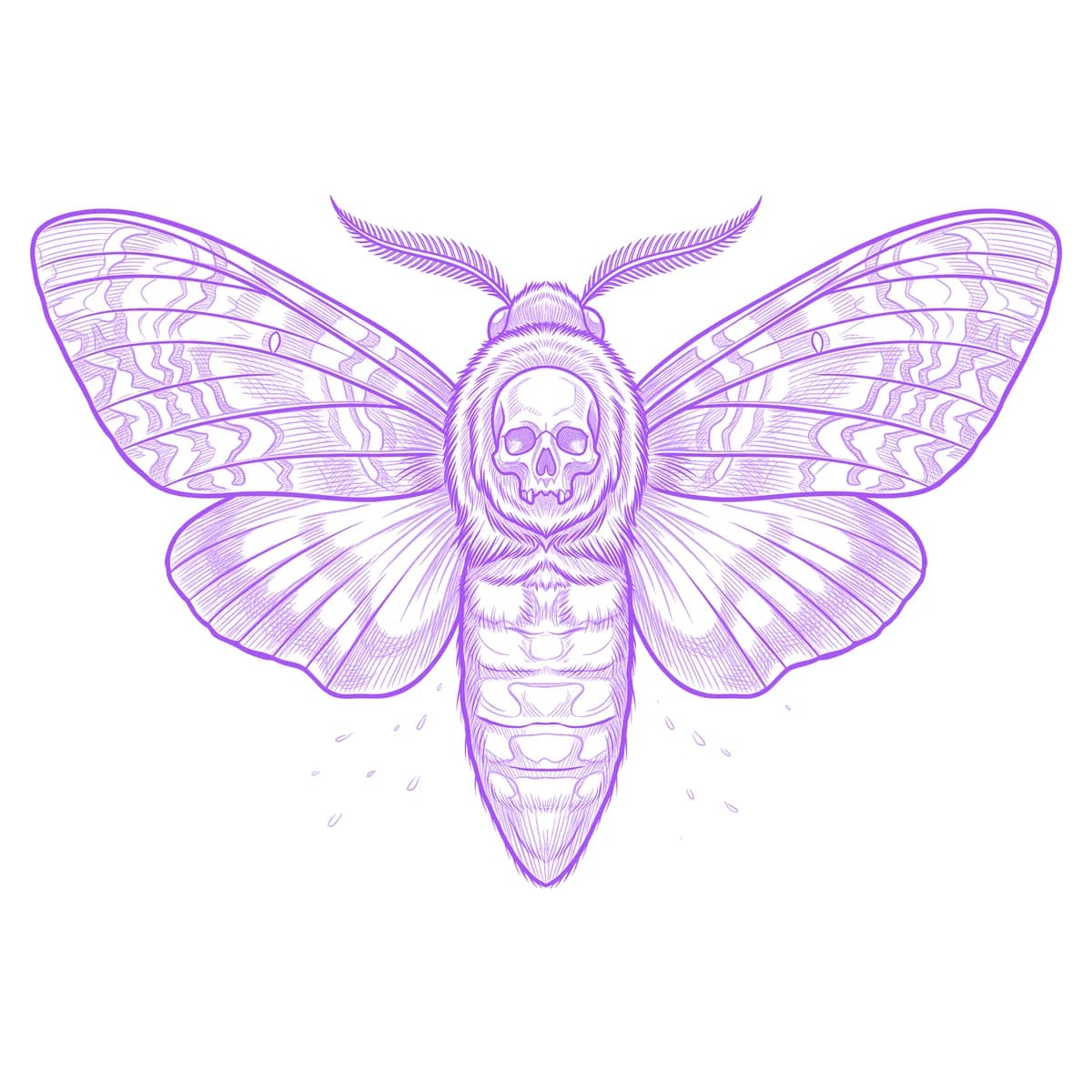
The death's-head moth packs a skull-shaped marking onto a furry thorax between two intricately patterned wings — three competing detail zones in a hand-sized insect. The classic stencil failure is losing the tiny skull into the thorax fuzz, which deletes the entire point of the design. Stencil AI keeps that marking crisp as the centerpiece while the wing bands and veining stay organized around it.

Why Death Moth works as a realism tattoo
- The skull marking is a light shape on a dark furred ground, a value inversion that stays legible even when the stencil is scaled down to wrist size.
- Wing venation gives the design a natural line skeleton — every band and eyespot hangs off those veins, so the pattern converts into structured linework rather than noise.
- The bilateral spread-wing pose is self-symmetric, letting the moth anchor to the body's centerline where symmetry errors would be obvious in a hand-drawn stencil.
How to make a death moth tattoo stencil
Upload your reference
Choose a realism style
Export & transfer
Placement & sizing
Spread wings want a symmetric canvas — the sternum, the base of the throat, the spine between the shoulder blades, or across the top of the forearm.
Tips for the best result
- Pick a pinned-specimen or top-down reference; a moth photographed at an angle loses the left-right symmetry the design depends on.
- Hatching renders the thorax fur and wing scales as engraving-style texture; Outline strips the moth to marking and veins for a cleaner blackwork look.
- Check that the skull marking occupies a decent share of the thorax in your reference — on some species' photos it is faint, and a faint marking stencils as smudge.
Frequently asked questions
What is the best style for a death moth tattoo stencil?
Hatching, if you want the furred body and scaled wings to read as texture. Outline suits minimal blackwork versions where the skull marking and wing shape carry the design alone.
Will the skull marking on the thorax stay visible in the stencil?
Yes — it is preserved as the highest-contrast element. Just start from a reference where the marking is clearly lit, since a washed-out marking cannot be invented back in.
Made with the AI tattoo stencil generator — turn any photo into a clean, tattoo-ready stencil in seconds.
Make your stencil now
Upload a reference and get a clean, tattoo-ready stencil in seconds.
Try Stencil AITrusted by 5,000+ tattoo artists · ★ 4.7 on the App Store