Clouds Tattoo Stencil
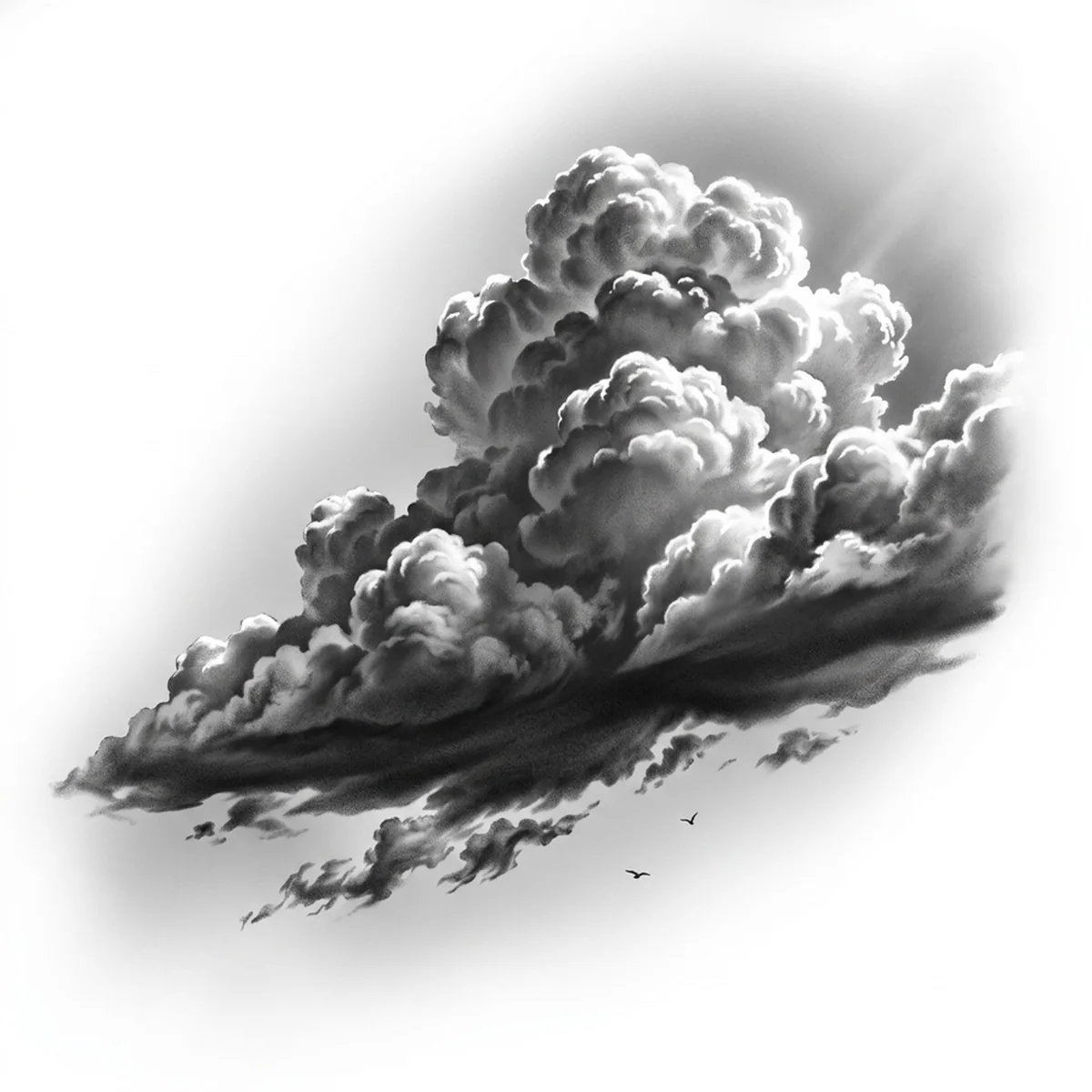
Clouds are the hardest easy subject in tattooing: a cumulus bank is nothing but soft edges and subtle value shifts, with no outline anywhere in nature. Stencil them wrong and you get either a hard-edged cartoon puff or a formless smear. Stencil AI maps each billowing lobe as its own rounded volume — bright crown, shaded underside — so the stack keeps its cauliflower structure.

Why Clouds works as a realism tattoo
- Cumulus clouds are built from repeated rounded lobes, and each lobe's lit top against its neighbor's shadow creates constant, usable contrast.
- The flat, dark cloud base anchors the composition with the design's one firm edge, keeping all the softness above it organized.
- Sunlight breaking over a cloud edge produces a rim highlight — the brightest line in the piece and a ready-made focal point.
How to make a clouds tattoo stencil
Upload your reference
Choose a realism style
Export & transfer
Placement & sizing
Clouds love to wrap — around the shoulder onto the chest, along the upper arm as sleeve filler, or across the ribs where the bank can drift horizontally.
Tips for the best result
- Choose a reference with low, directional sun so the lobes throw shadows on each other — noon light flattens a cloud into a white sheet.
- Use Standard for realistic soft-graded clouds; Outline only for the stylized Japanese-inspired swirl cloud, which is a different design language.
- Avoid overcast references entirely — a featureless grey layer gives the stencil no lobes, no base and nothing to shade.
Frequently asked questions
What is the best style for a clouds tattoo stencil?
Standard — clouds are pure tonal volume and need smooth gradients. Hatching gives a dramatic engraved-sky look; Outline suits only stylized swirl clouds.
How do soft cloud edges work in a tattoo stencil?
The stencil converts each soft edge into a gradual shading zone rather than a line. Pick a reference where lobes overlap with visible shadow between them so each zone has structure.
Made with the photo-to-stencil tool — turn any photo into a clean, tattoo-ready stencil in seconds.
Make your stencil now
Upload a reference and get a clean, tattoo-ready stencil in seconds.
Try Stencil AITrusted by 5,000+ tattoo artists · ★ 4.7 on the App Store