Zombie Tattoo Stencil
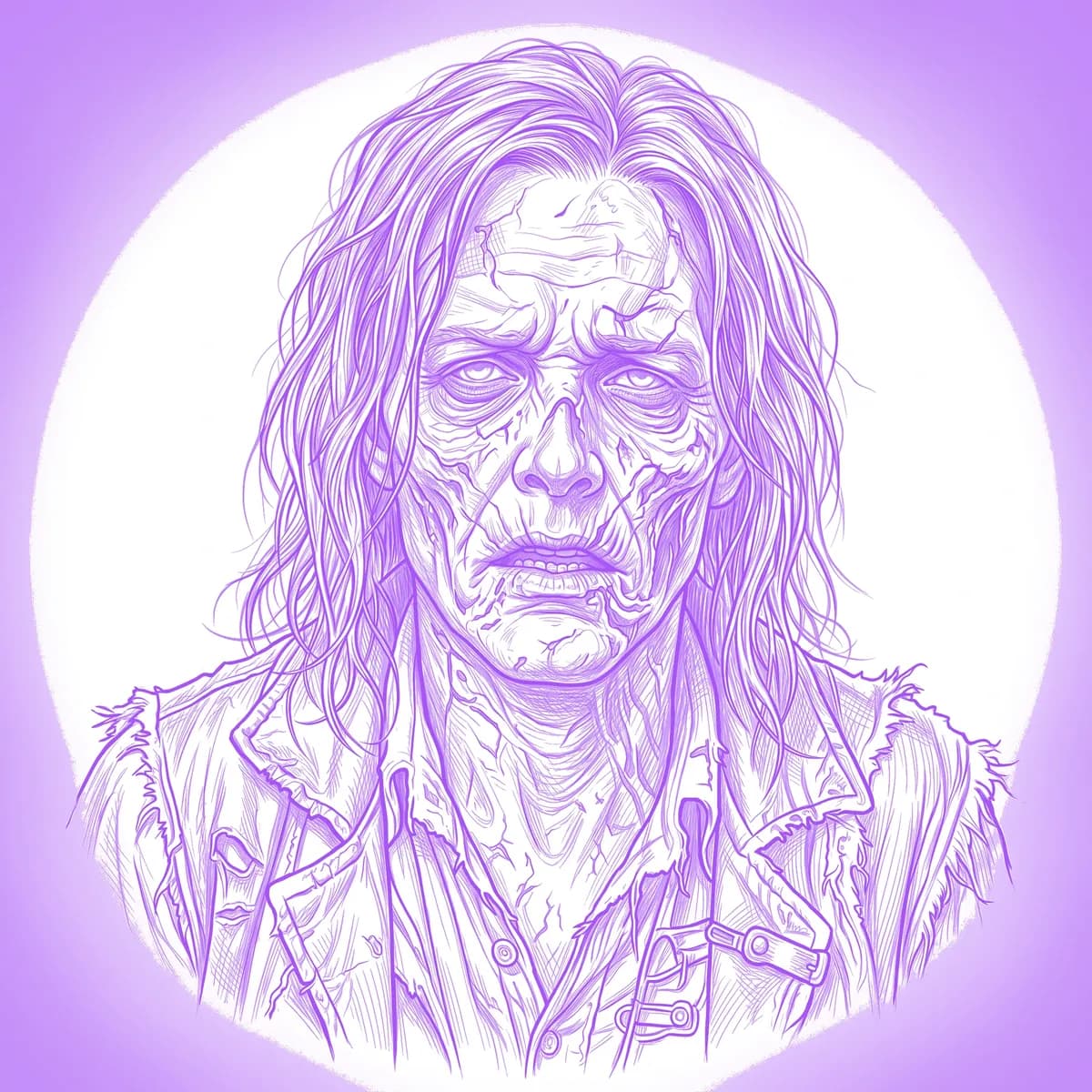
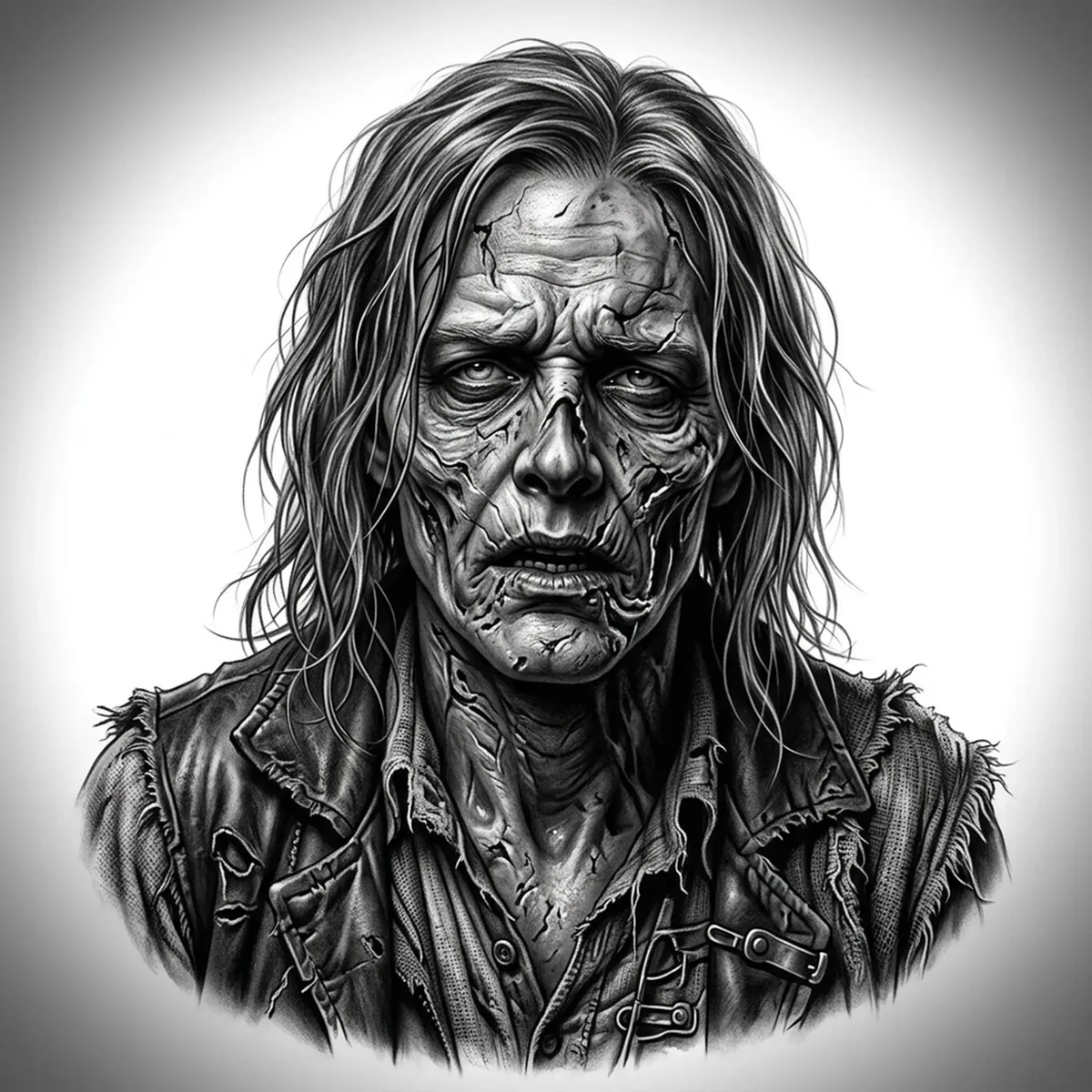
A zombie lives or dies on texture — the difference between a flat green mask and a genuinely decayed face is all in the gradients across torn skin, exposed cheekbone and milky, sunken eyes. The reference needs to read as rotting flesh: peeling layers, hollow sockets, a slack jaw hanging loose. Stencil AI maps those decay gradients so the stencil keeps the grotesque depth instead of turning the face into one gray smear.
Why Zombie works as a realism tattoo
- Exposed bone and muscle against ragged skin give the realism styles (Standard and Hatching) sharp tonal jumps, so the wound detail stays gruesome rather than muddy.
- Sunken, clouded eyes and a gaunt face create a strong focal point that depends on smooth gradation — exactly what a well-lit reference preserves in the stencil.
- Stringy, matted hair and dried-blood streaks add directional texture that the stencil can render line-by-line for a layered, horror look.
- The high contrast between healthy and decayed areas gives the piece built-in drama without needing color.
How to make a zombie tattoo stencil
Upload your reference
Choose a realism style
Export & transfer
Placement & sizing
A zombie portrait commands a large panel like the outer thigh, the back, or a full upper arm where the torn flesh and exposed bone have room to read at scale.
Tips for the best result
- Choose a reference with strong directional lighting so the hollows of the sockets and cheeks gradate smoothly instead of crushing to flat black.
- Use Hatching or Standard for the rotting-skin realism; Outline suits a bolder, more graphic horror style.
- Keep dark wound shadows tonal, not solid — flat black areas swallow the exposed-bone detail that sells the decay.
Frequently asked questions
What is the best style for a zombie tattoo stencil?
Hatching or Standard handle the rotting-skin gradients, exposed bone and sunken eyes best. Outline gives a cleaner, more graphic zombie if you want a simpler horror piece.
How do I keep the decayed flesh from looking flat?
Start with a high-contrast, well-lit reference where the torn skin and hollow sockets show clear tonal variation, and the stencil will hold that depth instead of flattening the face.
Made with the AI tattoo stencil generator — turn any photo into a clean, tattoo-ready stencil in seconds.
Make your stencil now
Upload a reference and get a clean, tattoo-ready stencil in seconds.
Try Stencil AI