Generador de tatuajes con IA vs. creador de stencils: ¿cuál es la diferencia?
6 min read
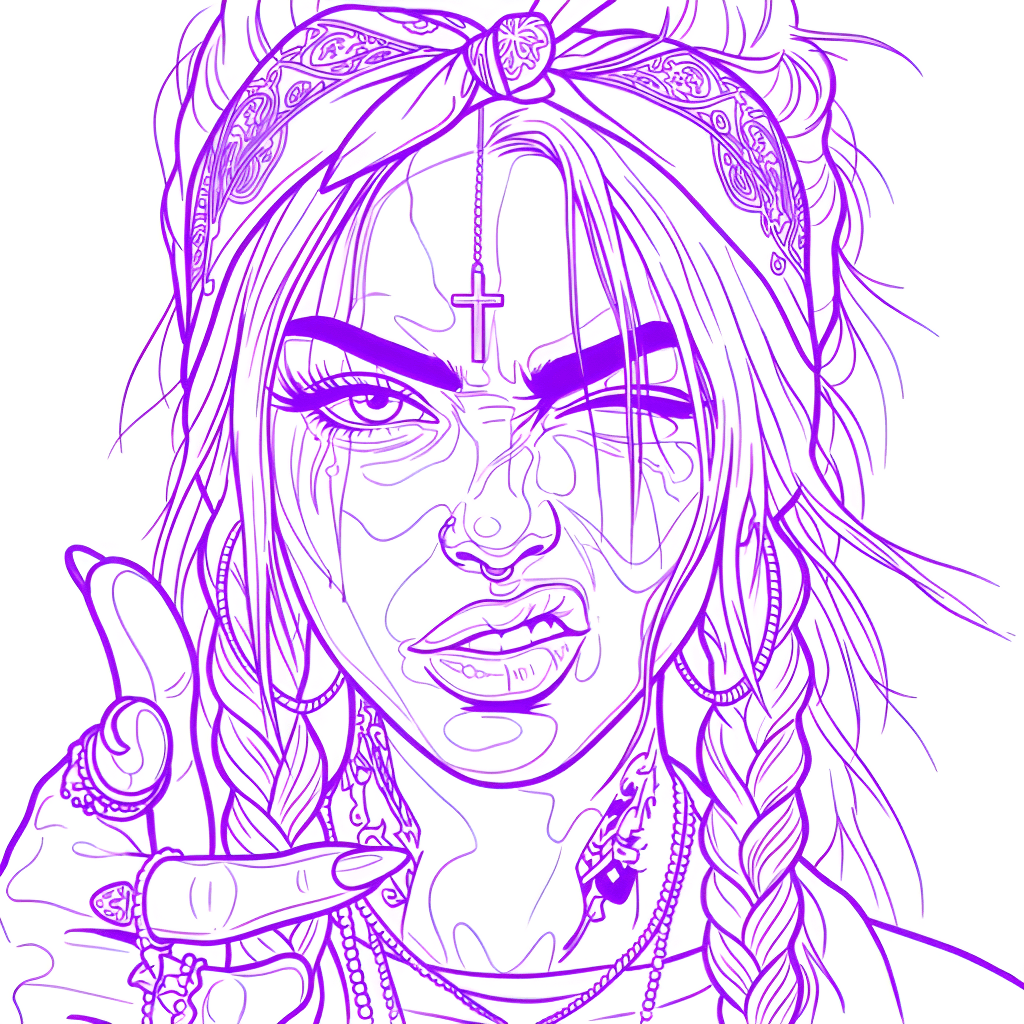
Busca un generador de tatuajes con IA y encontrarás dos tipos de herramientas muy distintas con casi el mismo nombre. Una inventa arte de tatuaje totalmente nueva a partir de un texto; la otra — un creador de stencils de tatuaje — toma un diseño que ya tienes y lo convierte en líneas limpias, listas para transferir. Confundirlas hace perder tiempo y créditos, así que vamos a aclararlo y a mostrar dónde encaja cada una en un flujo de trabajo real.
Qué hace un generador de tatuajes con IA
Un generador de tatuajes con IA es una herramienta de diseño. Describes lo que quieres — "una serpiente fine-line enroscada en una daga, blackwork" — y el modelo pinta una imagen nueva desde cero. Es genial para generar conceptos, explorar estilos y darle al cliente algo a lo que reaccionar cuando aún no sabe lo que quiere.
Lo que un generador no te da es algo que puedas poner en la piel. Su resultado es una ilustración a todo color con degradados, sombras y ruido de IA — no los contornos firmes y continuos que el artista necesita para transferir un diseño. Responde "¿cómo debería verse este tatuaje?", pero nunca "¿cómo lo tatúo realmente?".
Qué hace un creador de stencils de tatuaje
Un creador de stencils de tatuaje es una herramienta de producción. En lugar de inventar arte, convierte una imagen existente — una foto, un dibujo, un concepto generado o una referencia que trajo el cliente — en líneas limpias que se imprimen y se transfieren a la piel. Elimina el fondo, quita el color, realza el contraste y entrega las líneas nítidas sobre las que tatúas.
Este es el paso que de verdad lleva un diseño a la silla. No importa cómo llegaste a la imagen: aún tienes que convertirla en un stencil antes de que cualquier aguja toque la piel. Ese es el trabajo en el que se centra Stencil AI.
Generador vs. creador de stencils de un vistazo
- Entrada — Generador: un texto o estilo. Creador de stencils: una imagen o diseño existente.
- Resultado — Generador: una nueva ilustración a todo color. Creador de stencils: líneas limpias en un solo tono.
- Propósito — Generador: ideación y arte conceptual. Creador de stencils: una transferencia lista para imprimir.
- Quién lo usa — Generador: cualquiera que explora ideas. Creador de stencils: el artista que se prepara para tatuar.
- Cuándo en el flujo — Generador: al principio de todo. Creador de stencils: justo antes de la sesión.
Por qué normalmente necesitas ambos
Estas herramientas no son rivales: son pasos consecutivos. El flujo natural es generar o elegir un diseño y luego crear un stencil para tatuarlo de verdad.
Consigue el arte
Conviértelo en un stencil
Exporta y transfiere
Lo que los artistas realmente necesitan en la silla
Una ilustración bonita no es un stencil. Para trabajo real con clientes, las líneas deben ser:
- Firmes y continuas — líneas que siguen siendo legibles tras la transferencia y durante toda la sesión.
- Sin fondo — solo el motivo, sin ruido de color ni degradados sueltos.
- En alta resolución — nítidas al tamaño de impresión para que el detalle fino no se empaste.
- Legalmente limpias — creadas a partir de imágenes originales o de dominio público; los personajes con derechos de autor y las celebridades no se procesan, lo que protege el trabajo con clientes.
Aquí es también donde un creador de stencils dedicado se aleja definitivamente de cualquier generador: el flujo de trabajo continúa hasta la silla. Más de 5.000 tatuadores de pago usan Stencil AI y, además de imprimir a tamaño real, la herramienta Warp curva el stencil para seguir hombros, brazos y curvas antes de imprimir, la medición con LiDAR (iPhones compatibles) convierte una medición de la zona con la cámara en el tamaño exacto de impresión, la impresión multi-plantilla coloca varios stencils en una hoja — cada uno a tamaño real — y el Modo Tatuaje a pantalla completa mantiene la pantalla encendida durante la sesión, con brillo, contraste y color de tinta por capa. Ningún generador hace nada de eso.
Dónde encaja Stencil AI
Stencil AI es, a propósito, un creador de stencils, no un generador. La mayoría de los tatuadores ya crea y refina sus diseños en Procreate o Photoshop — Stencil AI se encarga del paso del stencil. Trae cualquier foto o diseño y produce una plantilla lista para tatuar en Outline, Standard o Hatching, lista para imprimir en menos de un minuto. Las ediciones se guardan con el stencil y se sincronizan entre tus dispositivos — y puedes volver al original cuando quieras. Puedes probarlo con un pack inicial de $0.99 en la web — 5 créditos que nunca caducan — y los planes Hobby, Pro y Studio añaden créditos mensuales y licencia comercial completa para uso profesional.
Convierte cualquier diseño en un stencil listo para tatuar
¿Generaste un concepto o tienes una referencia? Súbela y obtén líneas limpias, listas para imprimir, en segundos.
Prueba Stencil AI